
Partnership with Rumble a good idea?
-
Yes
33%
-
No
67%
3 votes
News

Partnership with Rumble a good idea?
3 votes
News
Happy Birthday! @Garuda
News
News
Happy Father’s Day to all the WorldsWave Dads out there! ❤️
News
Christ is King - YNN
News
Boost Your Account Security with 2FA on WorldsWave! Great news! You can now enable Two-Factor Authentication (2FA) on your WorldsWave account. How to Enable 2FA: 1. Log into your WorldsWave account. 2. Go to Account Settings > Two-Factor Authentication. 3. Select Enable Two-Factor Authentication. 4. Choose your method (e.g., authenticator app or email). 5. Follow prompts to link your device and verify with a code. Pro Tip: Save backup codes securely for later use. Stay secure and explore WorldsWave! Questions? Contact support.
News
Don't forget to checkout #reels https://worldswave.com/reels
ReelsNews
This platform is how you find out what’s actually happening
News
Most entertaining outcome is most likely
News
What country are you from World Wavers? #poll
5 votes
News
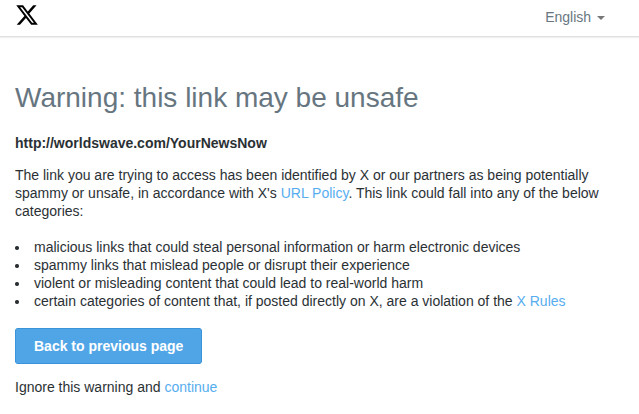
This is what happens if you post a WorldsWave link on X. They mark it as violating their policies because we are ACTUALLY free-speech!
News
 Europa: The Last Battle
News
ALERT: We have just added one of the MOST BANNED Documentaries in the world. This 12-hour movie is banned on every 'free speech' platform like X and even Rumble! #europa #movie Watch it now almost exclusively on WorldsWave! https://worldswave.com/movies/watch/5_europa-the-last-battle.html
 Europa: The Last Battle
News
 Watch on YouTube
News
News
I love the WorldsWave community Let’s keep growing! This is going to be the best Summer for WorldsWave.
News
so a lot of people said yes to add community notes but only some of y’all said no so I wanna hear more feedback about it, put down in the comments.
News
Well at least they still have worldswave WorldsWave is everyone
News
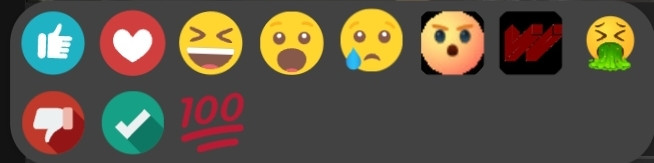
Wouldn't it be cool if X had a reaction system with emojis instead of just likes/hearts? Well worldswave.com has a bunch!
News
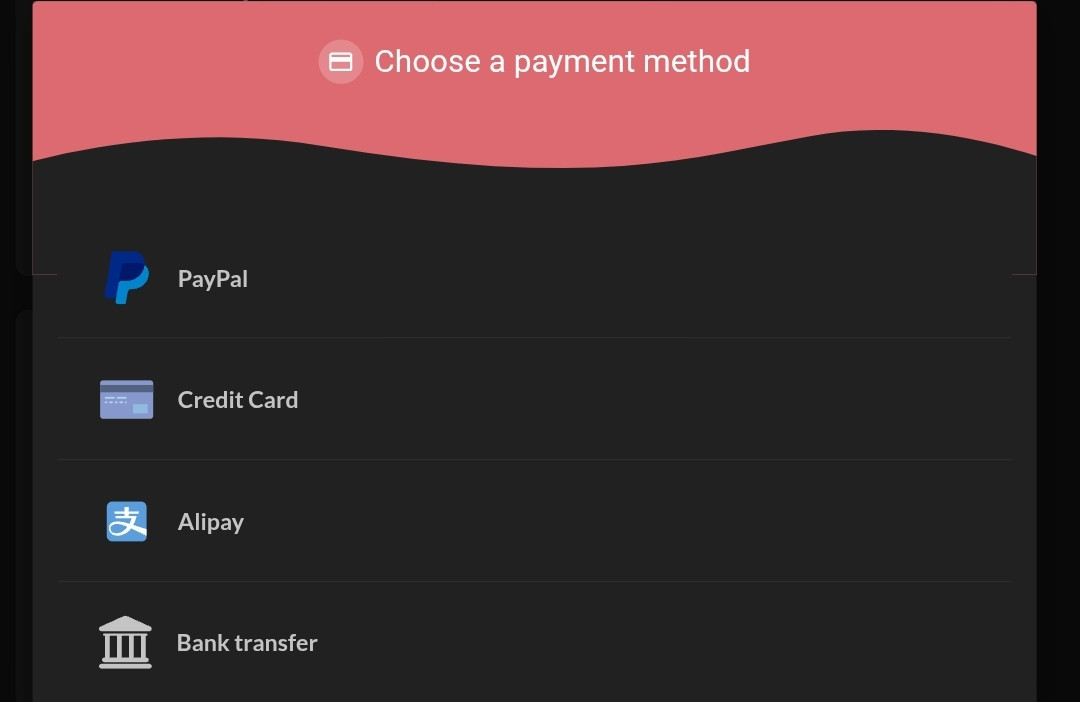
Remember how X was going to add a money system? Well that never happened. Here on WorldsWave.com, you get your own wallet and can send money to each other! We also have many payment options!
News